Showing posts with label homeschool. Show all posts

Back to Homeschool GIVEAWAY!


Yes it is that time of year already! We have already started school and I'm sure many of you are gearing up to do the same. Starting on Monday, over 50 bloggers from the Schoolhouse Review Crew (including myself) will be holding a 5 day blog hop covering many aspects of homeschooling. 

To kick off this great blog hop, several members of the Schoolhouse Review Crew have joined forces during our August Back to Homeschool Blog Hop to bring you these incredible giveaways, totaling more than $1300 in homeschool curriculum and Paypal cash!       

Be sure to enter & spread the word. I would love to see one of my readers win one of these prizes! Good luck!!

homeschool curriculum giveaway
Grand Prize Giveaway

In the Grand Prize  Giveaway, someone will win $765 in curriculum, plus $150 in Paypal cash to help you finish up your homeschool shopping! You could win all of the following.
Please click on the prize links to learn more about each product.

 From Home School Adventure Co. -- Philosophy Adventure--Pre-Socratics and Mere Christianity Critical Analysis Journal (digital editions)
 From Diana Waring Presents -Experience History Through Music
 From Writing with Sharon Watson - The Power in Your Hands: Writing NonFiction in High School and Writing Fiction [in High School]
 From Homeschool Legacy -- Westward Ho I & Westward Ho II Once-a-Week Unit Studies
 From The Old Schoolhouse Magazine -- One-Year Membership to SchoolhouseTeachers.com
 From Shining Dawn Books -- Charlotte Mason Homeschooling Bundle (Charlotte Mason Homeschooling, Loving Living Math, Grammar Packets, and Creative Nature Walks)
 From Memoria Press -- Latina Christiana I Set
 From Excelerate Spanish -- Excelerate SPANISH DVD Lessons 1-6
 From WriteShop -- Winner's Choice of WriteShop Primary Book A, B, or C (Teacher's Guide + Activity Pack)
 rom New Millennium Girl Books -- Isabel Writing Bundle
From Write Bonnie Rose -- Asia: It's People and History
From Home School in the Woods -- Project Passport: The Middle Ages
From NotebookingPages.com -- Lifetime Treasury Membership
From Victus Study Skills System -- Victus Study Skills Student Workbook & Teacher Edition Bundle
From the Schoolhouse Review Crew bloggers -- $150 Paypal Cash


2nd Prize Giveaway

In the 2nd Prize Giveaway, someone will win $325 in curriculum, plus $100 in Paypal cash to help you finish up your homeschool shopping! You could win all of the following.
 Please click on the prize links to learn more about each product.  

 From Home School Adventure Co. -- Philippians in 28 Weeks, The Wise Woman with Literary Analysis Question, and The Wise Woman Print Set (digital editions) 
From Writing with Sharon Watson -- Jump In: a workbook for reluctant and eager writers 
From Home School in the Woods -- K-2 Lap-Pak: Knights 
From Write Bonnie Rose -- Printables Bundle (Writing Prompts About Space Bonus Pack; Revolutionary War Activities: Patriotic Copywork; Revolutionary War Activities for Kids: Puzzles, Games, and Quizzes; Praying Through the Produce Aisle; Summer Olympics and Paralympics Unit Study) 
From Excelerate Spanish -- Excelerate SPANISH DVD Lessons 1-6 
From Memoria Press -- Prima Latina Text Set 
From New Millennium Girl Books -- Callie's Contest of Courage Mid grade novel and Callie's Contest of Courage Literature Guide 
From The Old Schoolhouse Magazine -- One-Year Membership to SchoolhouseTeachers.com 
From the Schoolhouse Review Crew bloggers -- $100 Paypal Cash

To enter, use the Rafflecopter below. Residents of the U.S., ago 18 and older only. See more Terms and Conditions in the Rafflecopter. 

a Rafflecopter giveaway

The Presidential Game


We are a game loving family. Ever since the kids were younger, we've slowly been building up our game closet so when The Presidential Game came up for review, we didn't hesitate to request it. 

I'll be honest, I wasn't sure what to expect with a game that is solely based on acquiring electoral votes to win the presidency. I was afraid I'd be pulling my kids teeth to play this for the review. Boy was I blown away! Both the kids & my husband spent many hours over the last 6 weeks playing this because they wanted to!


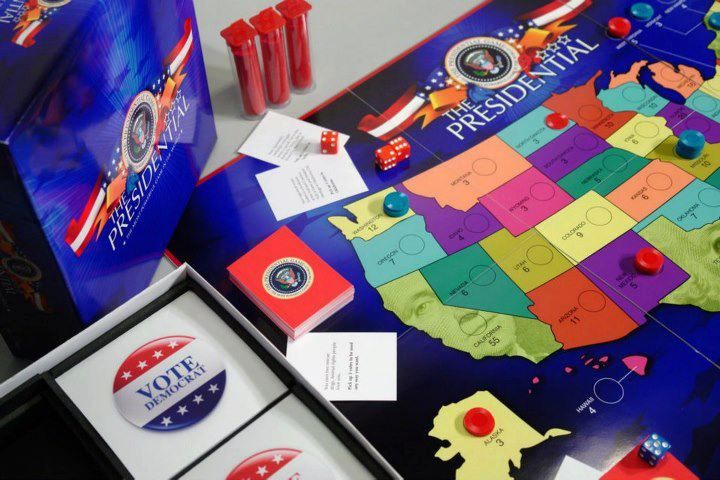
The game comes with a sturdy, colorful game board, red & blue dice, red & blue chips, score sheet & political cards (as well as some blank ones for you to write your own). This game is for ages 11 & up but if you have younger children, they can pair up with the older ones to play. You have to have a minimum of 2 players but you can have as many people as you want to play as you split into 2 teams, the democrats & republicans. Just as an added side note, it doesn't matter which side of the fence you sit on for your real life political party, this game is neutral. 

To start, divide up into teams & decide who is going to be blue or red (I say that because some of them always wanted to be a certain political party) and then roll the dice to decide who will be going first. You also determine how long you are going to campaign for. The score sheet lists 30 weeks but we found that would take over 2 hours for a round so typically they played for 15 weeks.

Before you roll the dice for your turn, you decide if your team will campaign or fundraise. If your team decides to campaign, they will decide & announce which 3 states to campaign in then roll their 3 dice. Whatever 3 numbers come up determines how many chips you allocate to those 3 states. (each dice number goes to a separate state). The goal is to win control of a state. So if the state was neutral (no blue or red chips present) as soon as your political party has at least 1 of their chips in it, they currently have those electoral votes. The key is, both parties can keep fighting for a state which is what keeps this game exciting!

Let's say the democrats have 3 of their chips in Florida but the republicans really want that state and they choose to take 5 chips to put towards the state, 3 of their chips cancel out the democrats so the state of Florida now has 2 republican chips thus giving them control.

If the team chooses to fundraise for their turn, they announce that & choose which state to fundraise in as you can only do this in California, Florida, Texas & New York. To do this, you only roll 2 dice. You  have to put at least half that number in chips on the state you chose to fundraise in. The rest can be divided up amongst any of the rest of the states. Then you choose a card from the stack of political cards though you don't use this card during that turn but save it for a future time to take the opposing team by surprise (though a few of these cards state to play immediately). 2 examples of what these cards are "Your spouse supposedly makes some of the best mashed potatoes. The secret recipe is revealed at the Idaho Spud Day. Add 2 votes to Idaho." "A top DC lobbyist who your opponent befriended while in congress is indicted. Your opponent loses 2 votes from the state of your choice." There are also blank cards to write your own suggestions as well.

At the end of the campaign (however many weeks you chose to play) if there are any states that remain neutral or tied, a state is chosen and both teams roll a dice and whoever has the highest number claims that state. This continues on until all the states belong to one party or the other. The team that has the most electoral votes wins the presidency.


Another neat feature to this game is using the online interactive webmap where you could keep score there instead of using the score sheets. We felt this made it a lot easier to keep track of who had each state.

There was a bit of a learning curve to this game and it took a few times of playing to get it down. While it was an educational game helping the kids to understand the electoral college and the importance of strategization, it was just an overall fun game that they all have thoroughly enjoyed and perfect for all ages! This would also make a good game for a civics class at a co-op.

The Presidential Game can be purchased for $35.

Photobucket

KidCoder Visual Basic


We recently had the chance to review KidCoder Visual Basic Series from Homeschool Programming. This program was created by a homeschooling couple who has a combined 17 years experience in the field of software industry. They found that there weren't any courses out there for kids or teens that taught computer programming, thus Homeschool Programming was born.

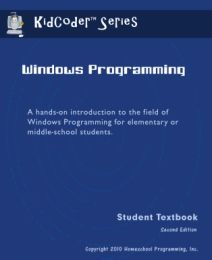
KidCoder VB is a year long programming course broken down into 2 semesters. It is geared for 6-8th grade students. The first semester covers windows programming with the second semester covering game programming. Both courses include the student activity text, tests and answers as well as a solution guide (which comes in handy if you struggle with a programming error, you can see just how the code is supposed to look.) Prior to starting this course, your child should have a basic idea of how to open programs, how to save & retrieve them, basically just simple computer skills. Everything else is taught along the way. The student text for Windows Programming has over 200 pages and contained 14 chapters which contained 3-5 lessons each.

The 14 chapters cover:
Introduction to computer hardware, software and programming history
Using the Microsoft Visual Basic 2010 Express development environment
Managing numeric and text data
Making decisions about program flow
Obtaining and validating user input
Working with numbers and math operations
Working with strings (text)
Learning how to debug (find errors in) your code
Learning how to write loops to execute sections of code many times
Working with arrays (sets of data)
Publishing your programs to other computers
Putting it all together – write a simple graphical game!

As part of this curriculum, you need to download Visual Basic 2010 Express, which you can download for free from Microsoft (and the book walks you through this). This is the basis from which you practice on for this course. During windows programming, the student learns to write basic code and perform other basic programming tasks.

There is also the option to buy instructional videos on DVD which is great for the visual learner or those who want reinforcement of the text (though they do not replace the student text). The videos were similar to a powerpoint presentation and we liked how they showed us specific steps while talking us through them.
(a screen shot of one of the videos)


Each lesson walked you through step by step of the actions they wanted you to do. They also provided colorful pictures showing you what the screen would look like as you do the different commands. So if you didn't purchase the videos, you still have a good visual in the text.

(a screen shot of a page of text from the PDF student workbook)

At the end of each chapter, the workbook has a "Your Turn" section where you get to practice on your own what you just learned without the helps & hints. It gives you a chance to see just how much you remember. 

(a screen shot of a box we created)

Each chapter gets progressively more challenging and works towards teaching the skills to build your own  Pong game at the end. The first semester lays the foundation for the second semester which is KidCoder Game Programming. Just like the first semester course, this course offers a student text as well as instructional videos. We didn't get to this course but glancing at it, the students learn game design, images and animations, drawing text and animation eventually culminating in creating their own game.

While my kids and I aren't huge into programming (that's hubby's expertise), we found this course to be very informative and thorough. They walked you through each lesson in small pieces and since it's self directed, you could take as much time as you want to go through this course. For us, we needed a bit more time for each lesson as it is a lot to take in.

There are different pricing options:

KidCoder: Windows Programming or Game Programing- course only- $75
KidCoder: Windows Programming or Game Programing- course & video- $85
KidCoder: Windows Programming or Game Programing- video only- $20

Or both the full year (both semesters)-
KidCoder VB Year Pack- course only- $120
KidCoder VB Year Pack- course & videos- $145
KidCoder VB Year Pack-videos only- $30

Photobucket

Spanish For You- Estaciones


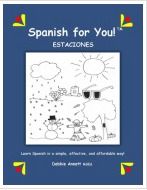
My kids enjoy learning Spanish so we are always looking for new ways to incorporate it into our days. We recently had the chance to review Spanish For You, specifically the Estaciones package (estaciones which means "seaons") This package covers vocabulary & grammar for the calendar & weather, fall & school, winter, spring & summer.


This is a year long curriculum that contains between 24-30 weeks of lesson plans meant to be used 4 times a week. It's available in either book form or download. Not only are lesson plans included, but you also get PDF downloads of audio files of pronunciations, worksheets, flash cards, game suggestions as well as other activities.

I appreciate that all the work is done for you so all you have to do is implement it (I am all about saving myself work!) While I do have a background in Spanish, having the audio files is beneficial for the words I don't remember but also the way this curriculum is laid out, any parent could teach this even if they had never heard a word of Spanish before.

Because this is a multi-grade curriculum, I was able to use this for all of my grade school children which is always a plus in my book. The levels are broken down into grades 3-4, 5-6 and 7-8. We used each of these levels. Some of the kids daily lessons were similar but also varied a bit. The older kids were able to work on their lessons independently with little help from me.

While you can certainly take your time in going through this curriculum (stretching out the daily lessons if more time is needed), you do need to follow it in the order that it is laid out in as each lesson builds upon the previous ones. We printed out the flashcards that had pictures & then wrote the spanish & english words on the back. My kids enjoyed "quizzing" each other with these.


I also printed out their weekly lesson plans, which were very simply laid out, that listed what each grade was to work on each day.  Then I printed out the activity sheets that went along with each day. Some days we did the optional work that was suggested but not always depending on our day. It took the kids 15-30 minutes to work through the daily lessons. They found that they picked up on the words & phrases quite easily from the repetition & fun activities (word searches, fill in the blanks, etc) I liked that they were learning more than just vocabulary but also phrases & conjugation.

This is a great curriculum to use for teaching multiple grades at one time. It would even work well for a co-op. Check out some of the free samples for Estaciones. This curriculum package is intended for grades 3-8 and costs $64.95 for the entire package.


Photobucket
 photo DisclaimerGraphic1_zpsf612f371.gif

Supercharged Science

 photo science_zps3636642f.jpg

My kids and I love science when it involves hands-on projects! I had never heard of Supercharged Science until recently when we were given a subscription to their e-science program for grades K-8 to review. We were told this online curriculum was chock full of experiments! What also caught my attention was this program was founded by Aurora Lipper who is a former NASA scientist who had a desire to make science fun & exciting for students.
 photo escience-full-600px_zps738b5d59.jpg
E-science contains a total of 19 units (with more coming). When you first sign up, you are given access to the first 7 units, with 1-2 more given each month. Though they do give you the option if you see a unit you'd like to work on that you don't have access to yet, you can email them to unlock it. Trust me though, those 7 units are a lot to keep you busy for quite awhile. In all, there are over 1,000 experiments and projects to do, with a full list of the topics they covered available to view (seriously, they cover a lot of interesting subjects!)

When we first signed on, I admit I was overwhelmed at all our options. We first watched Aurora's intro video as well as her video explaining the scientific method. That's the other thing about this curriculum I appreciated, that there are videos that go along with everything! Aurora was engaging in the videos and easily kept our attention without boring us. 

From there, I asked the kids what topic interested them the most. Their first response was what experiments can we do NOW without having to go out and get anything. (they couldn't wait to do an experiment!)
They choose Unit 2: Motion since we had everything we needed for several of those experiments. You can get as involved (or not) as you want. There is reading, videos and even questions for the students to fill out at the end of a lesson. Everything is self paced so you can spend as much time as you need in each unit.

We started out reading about the highlights of velocity so they'd have an understanding of what we were going to do. We also watched the video of the experiment before we did it. Then we dove in! You'll notice we started this experiment with a small ball like she recommended. After the kids saw how well that worked, they wanted to try a raw egg! I said to go for it but they can clean up the mess if it ended up everywhere!
(click on photos to enlarge them)

But alas, it WORKED and we didn't end up with egg on the wall!

Aurora is great at communication with this program. While we personally didn't have any questions (yet), she stated both on her website & through emails that we are welcome to email her at any time if we needed help or if our children had any questions about anything. 

We also had the opportunity to participate in a webinar on how to make a solar oven. She not only showed us step by step how to make our own, she also explained the "why" behind how it works. 


Out of all the experiments we did, this was their favorite for sure! Next time they plan to try a hot dog. They even took it a step further as they remembered Aurora explaining in the video that the white would reflect the light but if you put something dark on the marshmallow, it would attract it & cause it to cook faster. The kids took a piece of black material & laid it over the marshmallow & actually burned a hole through the fabric! I share all that because without those engaging videos, they never would've branched out & tried something in addition to the basic lesson.

E-science could easily be a stand alone, full science curriculum as it exceeds states standards. Or maybe you are just wanting to supplement with the science curriculum you are already using. They actually provide a conversion chart showing you which science programs you could pair this with and which e-science lessons would go with the different curriculum you may already have.

Overall, we really have enjoyed the quality & content of this program and plan to dig into more experiments even over the summer months. We really liked being able to see the experiments & projects done on video so we would have a better idea of how to do them ourselves as it's easy to mess things up if all you have is only text to go off of.

My only caveat with e-science would be the monthly price. It is a bit steep especially for a one income family. Granted, because this does included a wide range of grades, you are only paying one fee for however many children use it. If this is your only science for numerous children, it may be more justified. 

Aurora is offering a TOS Crew free sample offer if you'd like to check out for yourself just a portion of this program. (it's a $30 value)

Supercharged Science is $37 a month for the K-8 subscription and $57 a month for the K-12 subscription. You can cancel at anytime.
Photobucket
 photo DisclaimerGraphic1_zpsf612f371.gif

Adventus- Piano Program Review


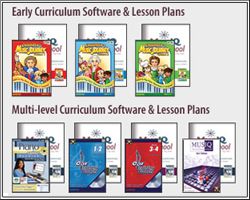
When you have a large family, music lessons can get expensive not to mention it can involve a lot of extra running around taking kids to lessons. We were recently given Adventus to review & prior to this, I hadn't heard about it but soon fell in love as you'll see why. It's a perfect, affordable fit for a large family. This is a multi-level piano program for beginners to intermediate students, ages 4-adult, containing 7 years worth of lessons. We were given the homeschool version and for my kids, we focused on levels Childrens Music Journey 1 & 2 (CMJ1 & 2).


I  myself have been playing piano since I was 10 years old. While I've been able to teach my kids how to read music and some basic music skills, I haven't had time to really get into the nitty gritty of music lessons despite owning a full size piano. But the beauty of this program is, even if you as a parent have never learned any instruments or lack music skills, you can still use this in your homeschooling!!

I'm sure your wondering how in the world does this work? The basics are you need a midi compatible keyboard that you can hook up to your computer (and if you don't own one, Adventus sells them). From there, you can decide if you'd like the full software that you can buy as a bundle or individual levels that come as a CD or if you'd prefer the monthly subscription which is only $10.95 a month for ALL your kids to take lessons. Seriously, you can't even get 30 minutes of lessons for one child for that let alone unlimited monthly access for numerous children!

Once you have your keyboard & access to whichever subscription you prefer, it's only a matter of hooking up your keyboard to your computer, which we did via USB.

All 4 of my older kids have been using this program. The program allows you to set up a profile for each child, which consists of a name & password on whichever levels you are using. Erik used CMJ1 and the 3 girls CMJ2.


When they log in, they are introduced to one of the famous composers who is their "teacher" for several lessons (then it moves on to a new composer). They listen to a short piece of their music and learn about some of the history behind the song or the composer. I love how this program incorporates many aspects of music, not just actual teaching.


From there, they go onto the lesson. As they are instructed to practice, the teacher gives them immediate feedback (which is why it's hooked up to the computer, brilliant!) If they hit a wrong key, they are told to "be careful" and they try it again. They are also given positive feedback for doing well. There is a woodpecker that acts as a metronome to help them learn to keep time. 

adventus, curriculum, music, review

The notes also light up as they play them. My kids have learned correct hand positioning from the beginning based off of middle C (and creating an "ant tunnel").


The lesson lasts about 10 minutes. From there, they can go into another area of the program to practice what they just learned by visiting "Miss Melody". Here they get the chance to spend more time reviewing what they learned in the lesson. There is also a game section, library as well as an improvisation room (where they can make & play their own music) but honestly, my kids have just loved doing the lessons & practicing that they have spent most of their time in those 2 places the most out of all 5 rooms.


I have been seriously impressed with this curriculum and how much my kids have learned in a short time. They enjoy practicing and not once have I had to remind them it's time for a lesson as the lessons are so engaging & keep their attention. They've been doing more of the lessons then I had required of them to. In fact, after practicing awhile on the keyboard, I've noticed them going over to the piano to try out there what they've learned. We plan to continue using this until they master all the levels. 

If this in any way interest you, I'd encourage you to peruse the website as there is so much info there it's impossible for me to cover it all. There are also lesson plans you can buy to go along with the lessons. These are awesome as well. They include worksheets you can print out for the students to fill in to go along with what they are learning as well as other suggestions of things to teach & review (even coloring pages for the younger students). I was able to download these to our iPad for easy reference. 

Photobucket
 photo DisclaimerGraphic1_zpsf612f371.gif

Take a peek in our window


In our pjs, on the floor, on the couch, in a store.....we don't always use our books, oh how different each day looks!

Did I catch your attention?? Ha! I think I've had a bit too much of Dr Suess invading life lately, hence my goofy intro. You are probably scratching your head wondering what in the world is this post about? Today I am participating in a blog hop entitled "Show us your homeschool day in pictures".

As I sat down to brainstorm, I realized each day here in our house looks different. We don't have a set schedule for each day. Meaning, I don't say ok, at 8:30 we are going to do xyz for 30 minutes, at 10, we'll do this, etc. I like to allow as much time as each subject may take (or not take in some cases) as well as allowing for delight-directed learning. But we do have certain subjects that get covered every day and some that are a couple times a week. Outside of that, we are constantly learning no matter what we are doing.


 Mondays we are at our homeschool co-op for the full day so that really is our only day that is consistent. From there, the rest of our week could be super busy with appointments, swim & gym class at the rec, get togethers or pretty quiet and just hanging around home. We alter our schooling around what is going on each week. I print out a homework schedule for the kids of the work that needs accomplished that week and from there, they are good about spreading it out over the week once they know how busy or slow our schedule outside of the house is.


For the sake of this post, we'll just say this is sort of what a day at home with no outside plans looks like.


I have 2 kiddos that are early risers, we are talking between 6-6:45 at the latest. They get up and do their math lesson on the computer before even eating breakfast. All 4 kids do math on the computer and have to share 2 laptops so they like getting their math done & out of the way so they don't have to share a computer later on.

Once the others are awake, they do their math then as well.  Since the math curriculum we use allows them to do this on their own, it gives me time to get Olivia fed, tidy up around the house, etc.


From there, they look at their schedule of what needs done and they dive in. This could mean I go from the living room to the kitchen to the school room (since everyone often spreads out to different areas) answering questions about science, english, or music in the course of a few minutes.

Often times though, the older girls work pretty independently so I don't have to help them as much.


Of course, once in awhile I'll hear a "moooom" only to find one of our cats trying to lend a paw! Ha our animals like to get involved with school at times too. (we have 3 cats & a dog, all great animals & good with the kids).


To change things up, they like to check out the history channel as there are some pretty neat shows & documentaries on there. Though in the above picture, they are catching up on "The Bible" series.


Of course, Olivia isn't exempt from doing some learning activities geared for her age. I have a curriculum I loosely follow with her that gives me some neat teaching ideas for her. Wish I had had it when my others were little. 


She loves doing "school" like her siblings and often wants to be included in what they are doing. Sometimes this is cute and works out great like when sitting down with Hannah to do Spanish, she's picked up on a few words already, and sometimes she falls asleep. Other times, her wanting to imitate her siblings isn't such a great idea. . .


. . . like when she gets a hold of sisters math book & starts doodling her own answers! The older ones have learned if they leave pencils or books laying around, there is no telling what they might find after she does her thing!


My girls enjoy cooking, so sometimes knowing they get to tear up my kitchen is the motivation they need to get all the other stuff done. It's great the things they can learn while being in the kitchen. In the above picture, Sarah had to double the recipe which meant adding fractions together.


The kids are also big into games. We have a large game closet for this very reason. Once the weather warms up though, they usually don't play games as much as they do in winter time (you can often find some or all of them outside doing their school work when it's warmer). It's easy to turn many games into learning. Clue has been a favorite lately for working on critical thinking skills.

Granted, I didn't get pictures of everything we do in a days time but this gives just a sampling of what you might find if you were to drop by unexpectedly during the day. The kids said they wanted to get pictures of me teaching them, HA, I said my readers would rather see their adorable faces! *wink*


A Day in Our Homeschool